

How to Use Kigo eSIM
How to activate your eSIM
Important: Activate your eSIM after you land. Your plan's validity period starts when your eSIM connects to a local network.
01
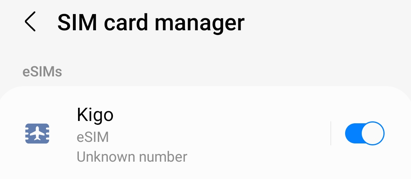
Turn on your eSIM
Go to Settings – Connections – SIM manager, make sure Kigo's eSIM is toggled on.
02
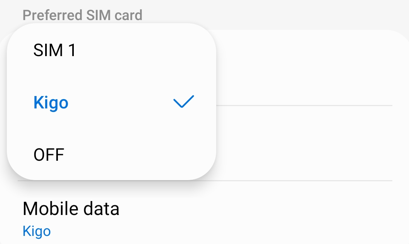
Select eSIM for Mobile data
Select Kigo eSIM for Mobile data in Preferred SIMs.
03
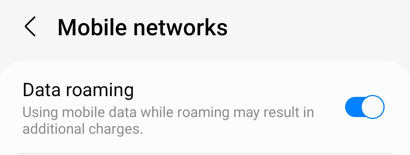
Turn on Data roaming
Go to Settings – Connections – Mobile networks, make sure "Data Roaming" is on.
04
Configure APN
Normally, APN will be set automatically. You can go to Settings – Connections – Mobile networks – Access Point Names, check whether the APN settings are correct. If not set or incorrect, create a new APN and configure APN field as following.
